PayPal Expanded Checkout
Install EShop PayPal Expanded Checkout
EShop PayPal Expanded Checkout is an extra payment plugin in EShop. To have it on your store, you must go to EShop -> Plugins -> Payments and choose os_eshop_paypalepc.zip package to install it (Read more about how to install payment plugin in EShop at https://docs.joomdonation.com/eshop/plugins-and-themes/payment-plugins#install-a-new-payment-plu)
Config EShop PayPal Expanded Checkout
Go to EShop -> Plugins -> Payments, then click on os_paypalepc to edit it
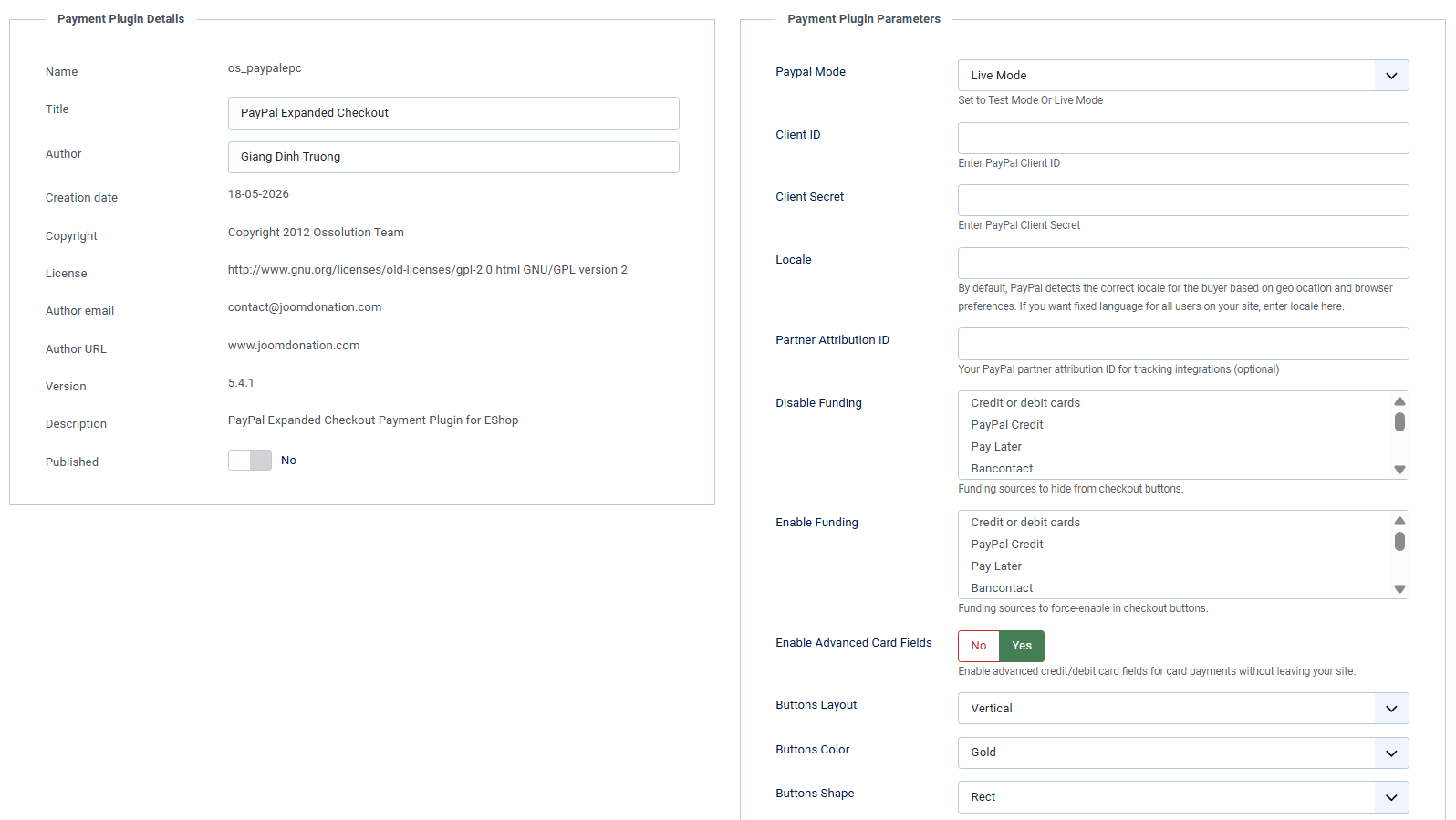
- PayPal Mode: Choose Test Mode or Live Mode
- Client ID: Enter PayPal Client ID.
- Client Secret: Enter PayPal Client Secret
- Locale: By default, PayPal detects the correct locale for the buyer based on geolocation and browser preferences. If you want fixed language for all users on your site, enter locale here.
- Partner Attribution ID: Your PayPal partner attribution ID for tracking integrations (optional)
- Disable Funding: Funding sources to hide from checkout buttons.
- Enable Funding: Funding sources to force-enable in checkout buttons.
- Enable Advanced Card Fields: Enable advanced credit/debit card fields for card payments without leaving your site.
- Buttons Layout, Buttons Color and Buttons Shape: Use to configure layouts of PayPal button.