Coupons
Table of Contents
Coupons
Go to EShop -> Sales -> Coupons to access to coupons section of EShop.

Create New/Edit a coupon
Click on the New button on the toolbar OR click on the coupon name on the list to create new/edit a coupon.
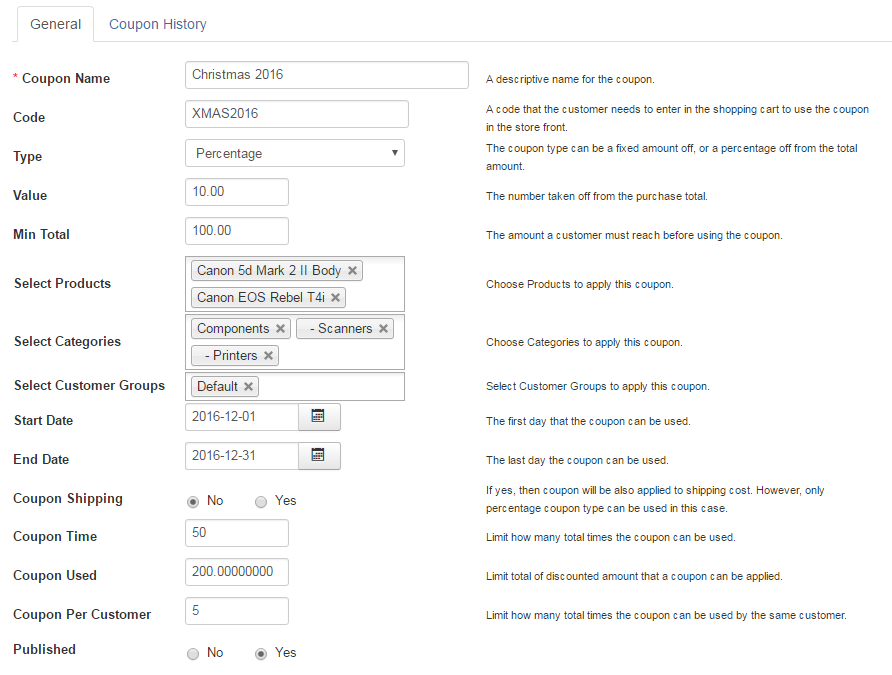
Coupon General
| Property | Description |
|---|---|
| Coupon Name | A descriptive name for the coupon. |
| Code | A code that the customer needs to enter in the shopping cart to use the coupon in the store front. |
| Type | The coupon type can be a fixed amount off, or a percentage off from the total amount. |
| Value | The number taken off from the purchase total. |
| Min Total | The amount a customer must reach before using the coupon. |
| Select Products | Choose Products to apply this coupon. |
| Select Categories | Choose Categories to apply this coupon. |
| Select Customer Groups | Select Customer Groups to apply this coupon. |
| Start Date | The first day that the coupon can be used. |
| End Date | The last day the coupon can be used. |
| Coupon Shipping | If yes, then coupon will be also applied to shipping cost. However, only percentage coupon type can be used in this case. |
| Coupon Times | Limit how many total times the coupon can be used. |
| Coupon Uses |
Limit total of discounted amount that a coupon can be applied. |
| Coupon Per Customer | Limit how many total times the coupon can be used per customer. |
| Publish | Published this coupon or not. |
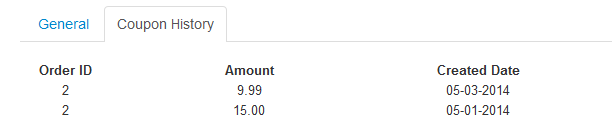
Coupon History
This tab show history of coupon.