Events Booking - Billit
This plugin integrates with https://www.billit.eu/ API to generate Peppol-compliant invoices when users register for your events. Once a registration payment is successfully processed, the plugin sends the necessary registration and payment details to the Billit API, and a corresponding invoice is created in your Billit account.
If you are using Events Booking in a country which requires Peppol invoices, please purchase the plugin at https://joomdonation.com/joomla-extensions/events-booking-joomla-events-registration.html (look at Paid Add-ons tab), install, and enable Events Booking - Billit plugin.
After installing the plugin, please go to System -> Plugins, find the plugin Events Booking - Billit , click on it to edit, enter necessary parameters below before enabling to have it works properly
Basic Information
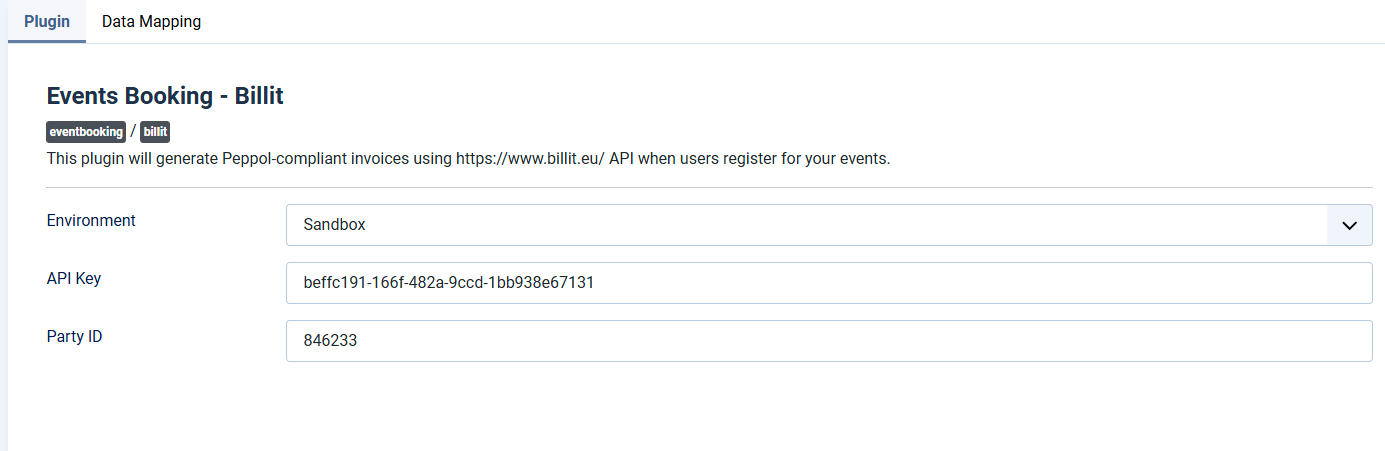
Follow instructions at https://docs.billit.be/docs/partyid-and-key, find API Key and Party ID of your Billit account, enter it into plugin parameter. Also, set Environment to paramter to Sandbox or Live.
Data Mapping
Beside basic data such as First Name, Last Name, Address...., Billts also requires VAT Number and Street Number of registrants. You will need to create custom fields to collect these data and then choose these fields in Data Mapping parameters so that the plugin knows where to get data for VAT Number and Street Address.
After these basic setup, the plugin will be ready to use.