Authorize.net Accept Hosted
Installation
After purchasing the plugin, extract os_eb_authnetaccepthosted_unzip_first.zip. It contains os_eb_authnetaccepthosted.zip and three PHP files.
- Go to Events Booking -> Payment Plugins to install the payment plugin os_eb_authnetaccepthosted.zip as any other payment plugin. See Install Payment Plugin for installation instructions if needed.
- For the three PHP files: authaccepthosted_eb_cancel.php, authaccepthosted_eb_return.php, authaccepthosted_eb_webhook.php, please upload it to root folder of your site. If you use Admin Tools Pro htaccess marker, please make sure these three files are accessible by adding it to Exceptions from Server Protection section and re-generate the .htaccess file.
Configuration
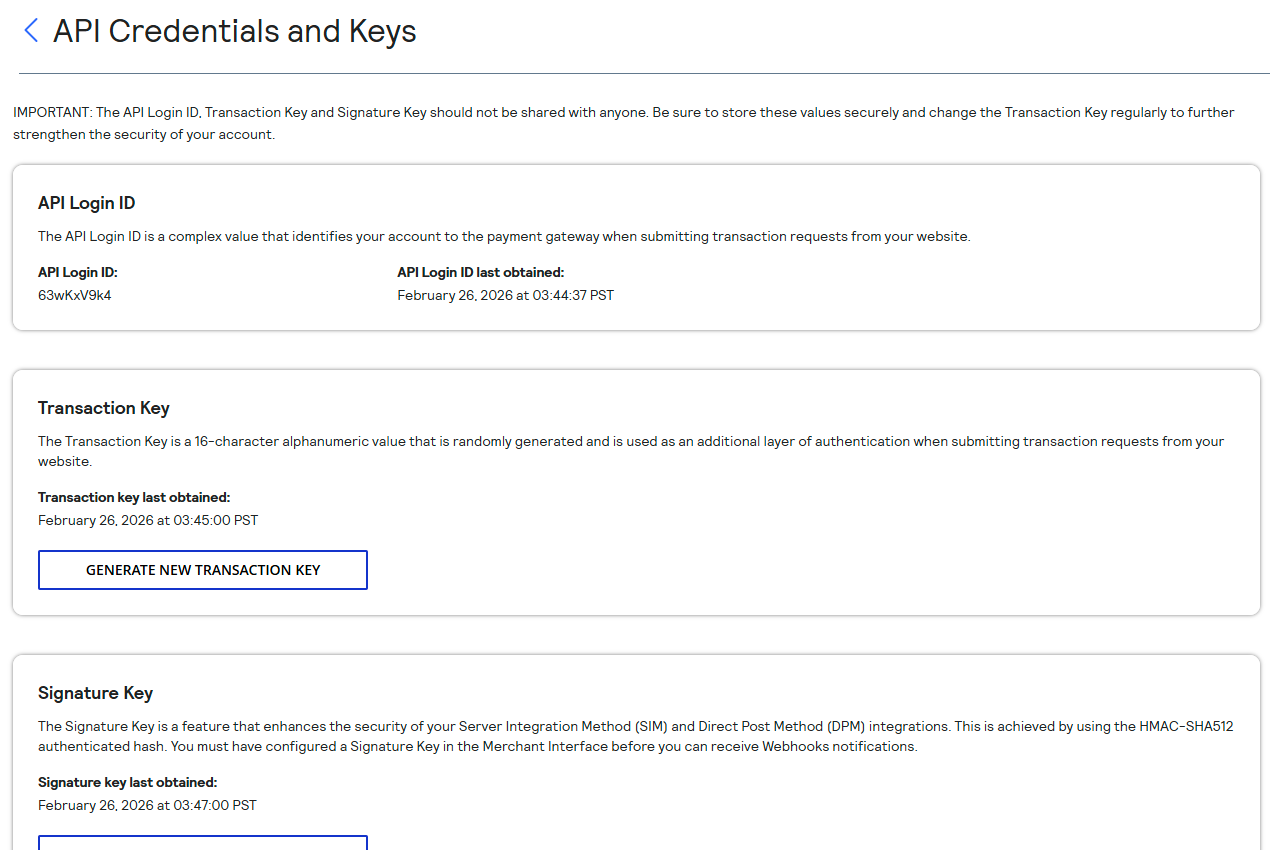
- Log in to your Authorize.net account and go to Account -> Account and API Settings -> API Credentials and Keys. Copy the API Login, Transaction Key, and Signature Key into the corresponding os_authnetaccepthosted payment plugin settings. Generate the Transaction Key and Signature Key if needed.
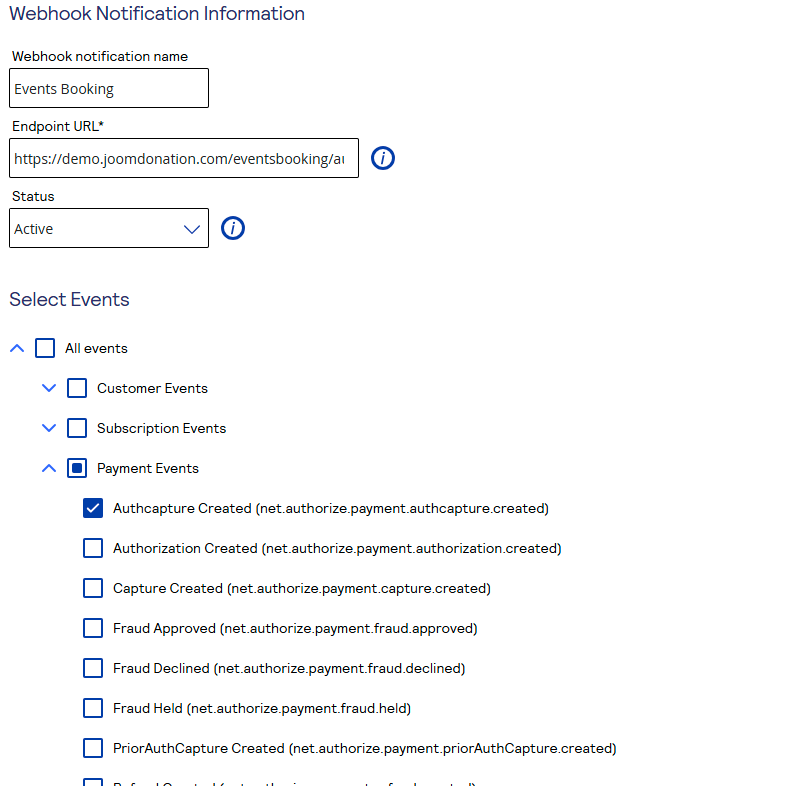
- Also in Account -> Account and API Settings -> API Credentials and Keys -> Webhooks, create a new webhook
- The webhook URL is https://yourdomain.com/authaccepthosted_eb_webhook.php (replace https://yourdomain.com with URL of your site)
- Select event Authcapture Created (net.authorize.payment.authcapture.created) for the webhook