Delete Old Invoices
Membership Pro stores each generated invoice PDF on your server. To save hosting space, this task deletes invoice PDFs more than one day old each time it runs.
Create and configure the scheduled task
- Go to System -> Plugins and make sure the Task - Membership Pro plugin is enabled.
- Go to System -> Scheduled Tasks and click New in the toolbar. Select the Membership Pro - Delete Old Invoices task type.
- Configure the required parameters and save the task.
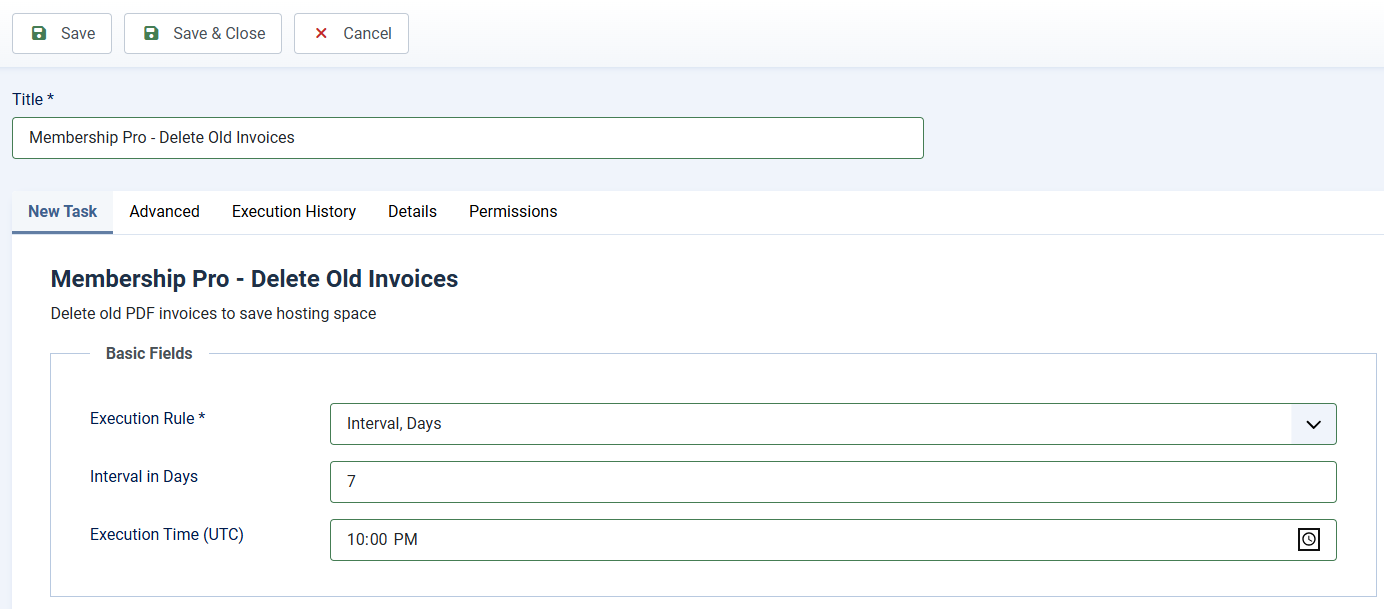
Task Basic Fields
This scheduled task should not be run so often. Run it every few days should be enough. So you can setup Basic Fields to following values
- Execution Rule: Set to Interval, Days
- Interval in Days: Set to the number you want, for example, if you set it to 7, the task will be run every 7 days.
- Execution Time (UTC): Choose the time in the day the task will be executed, for example 10:00 AM.