Update Subscribers Status
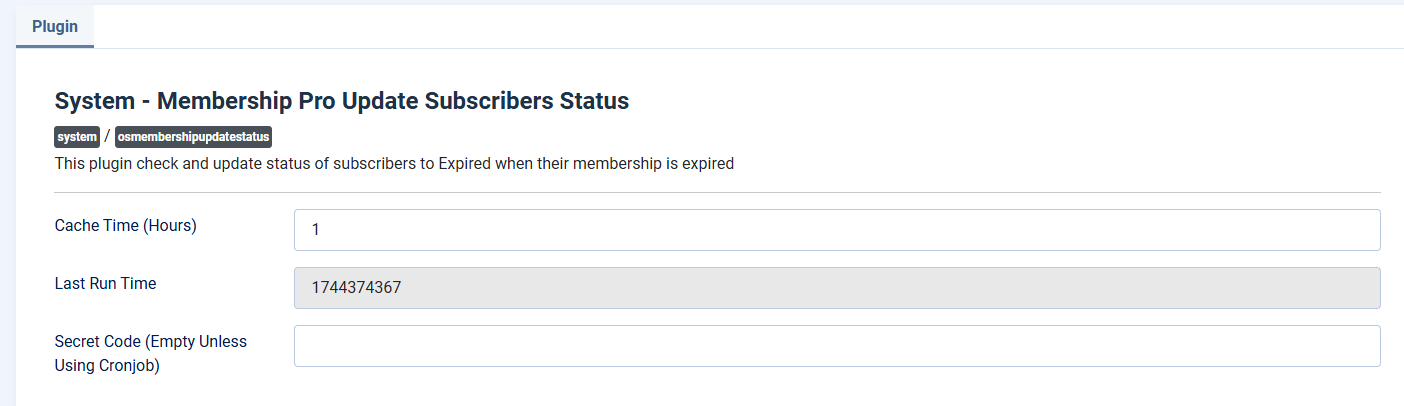
This plugin is run periodically every 2 hours to update status of the subscription records from Active to Expired when current datetime is greater than Subscription End Date of the subscription. It is enabled automatically by Membership Pro during installation process. Go to System -> Plugins, find the publish System - Membership Pro Update Subscribers Status, click on it to edit, review and change the following parameters:
- Cache Time (Hours): Control how often the plugin will run to send reminder emails. By default, it's 1 hour.
Use Cron Job
By default, Membership Pro uses a system plugin to trigger update subscriptions status. That mean it requires someone access to the site (search engine bots are also counted) to trigger the process. Sometime, it is not reliable because there will be delay to update status of there is no-one access to the site during that time. To address that limitation, you can setup cron job from your hosting account to trigger update status process if needed. Please see detailed instructions below:
-
Go to System -> Plugins, find the plugin System - Membership Pro Update Subscribers Status, click on it to edit. You should see a parameter called Secret Code . Enter a secret string there
-
Setup a cron job to make a request to this URL using CURL (note that you should use the CURL so that the variable can be passed in the GET request, see https://stackoverflow.com/questions/11375260/cron-command-to-run-url-address-every-5-minutes for detailed instructions
https://domain.com/index.php?secret_code=SECRETCODE
- Replace https://domain.com/ with URL of your site.
- Replace SECRETCODE with the secret string which you entered in the Secret Code parameter.
That will make the update subscription status process only triggered when there is a request made to that URL (which should be secret as no real users will access to that URL). It will make it more reliable compare to replying a system plugin.
