Payment Form - Joomla User Groups
The Payment Form - Joomla User Groups plugin automatically assigns logged-in users to specified Joomla user groups after they complete a payment. This powerful automation feature enables access control, and premium content delivery based on payment completion. This plugin is essential for creating paid membership levels, granting access to restricted content, or managing user permissions based on payment transactions.
Configuration Instructions
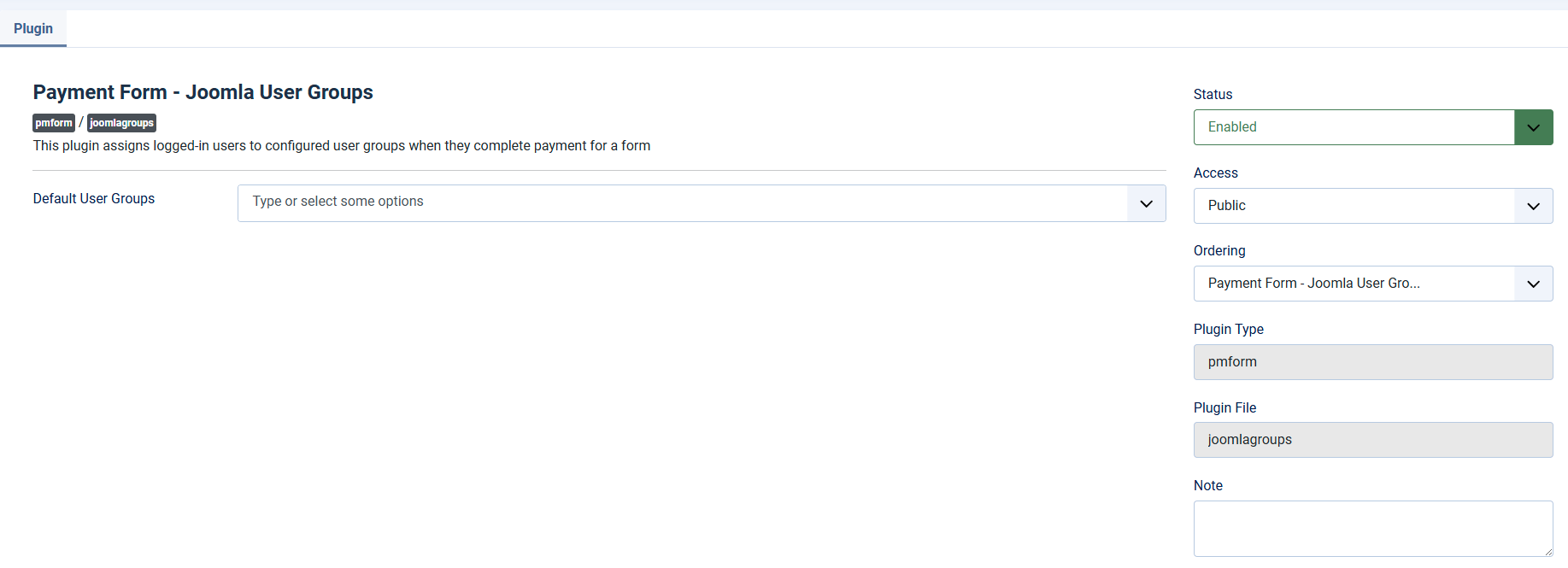
Step 1: Enable the Plugin
- Navigate to System → Plugins
- Search for Payment Form - Joomla User Groups
- Click the plugin name to open settings
- Set Status to Enabled
- Configure Default User Groups if you want a global default
- Click Save & Close
Step 2: Configure Per-Form Settings (Recommended)
- Go to Components → Payment Form → Forms
- Edit the form where you want to assign user groups
- Click the Joomla User Groups Settings tab
- Select one or more User Groups to assign in User Groups parameter
- Click Save & Close
With that setup, when users complete payment using the form (note that they need to register for an account on the form or already logged in), they will be assigned to the configured user groups.
