Dashboard and Revenue Chart
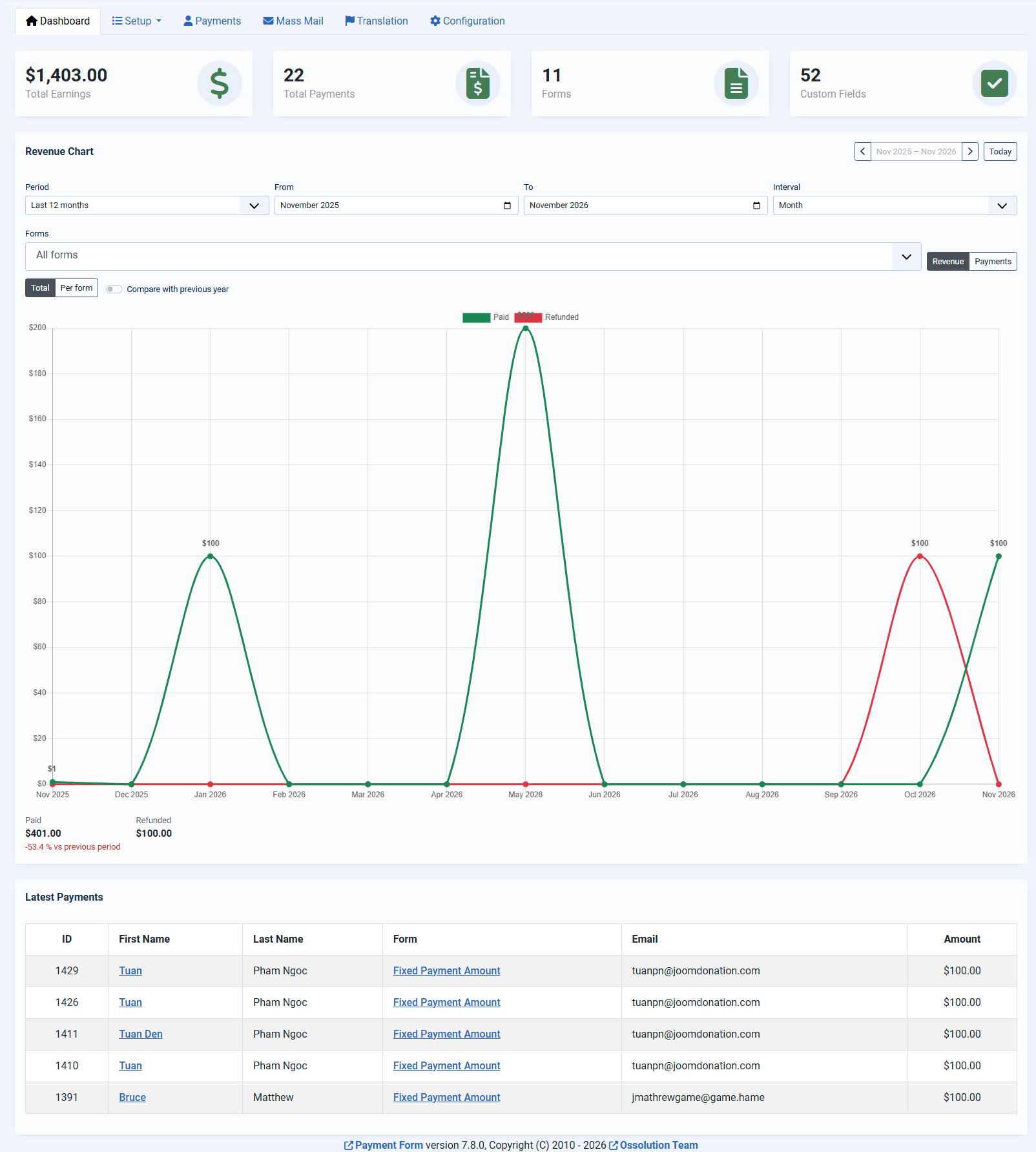
In Joomla's administrator area, go to Components → Payment Form → Dashboard. Use the Revenue Chart to track revenue or payment volume over time, compare forms, or see how a period compares with the same months last year.
Dashboard overview
- Total Earnings shows the all-time gross amount for all paid records plus any pending offline payments.
- Total Payments counts those same records. Both cards exclude refunded records.
- Forms and Custom Fields show how many of each you have created.
- Latest Payments shows up to five recent payment records. Click the payer's first name to open the payment or the form name to open the form.
The Revenue Chart filters apply to the chart and its totals. The summary cards and Latest Payments cover the site as a whole.
Choose the chart period and interval
- Use Period to choose Last 12 months, This month, This year, Last year, or Last 3 years. For your own date range, choose Custom and set the From and To months. The chart includes both months and supports ranges of up to 10 years.
- Set Interval to Day, Week, Month, Quarter, or Year. Day is available for ranges of up to two months, and Week is available for ranges of up to three months. This month automatically selects Day.
- Choose one or more forms under Forms, or leave the selection empty to include All forms. The list offers forms with paid or refunded records in the selected period and keeps any forms you already selected when you change the dates.
- Select Revenue to see gross amounts or Payments to count records. Hover over a point to see the values for that interval.
Use the arrows above the chart to move backward or forward by one full period. For example, if you are viewing April through June, the left arrow moves to January through March. Click Today to return to the Last 12 months preset, which includes the current month and the 12 preceding months.
Compare forms
To compare monthly revenue for two forms, choose a Period, set Interval to Month, select both forms under Forms, then choose Revenue and Per form. Each form with paid records in the period gets its own line. Switch to Payments to compare how many paid records each form received.
Per form displays up to 10 lines, ranked by total paid revenue or paid payment count for the period. If a form you want to compare is missing, narrow the selection under Forms and check that the form has paid records in the selected period.
Compare periods and read the totals
In Total mode, the chart combines the selected forms and shows Paid and Refunded separately. In this mode, turn on Compare with previous year to add a dashed Paid line for the same date range one year earlier.
Below the chart, the Paid and Refunded totals cover all forms included by the filter, even when Per form displays fewer lines. A percentage labeled vs previous period compares each total with the immediately preceding period of the same length. For example, a July through September total is compared with April through June. A percentage appears when the prior total is greater than zero.
The chart groups records by the date they were created, using the Joomla site's time zone. An offline payment approved in June for a form submitted in May appears under May as Paid. Refunds also appear on the date of the original payment record. Pending records are excluded from the chart.
Changing the chart filters requires Payment Form's Configure ACL & Options permission. To find, manage, or export individual records, open Payments Management.