PayPal Expanded Checkout
Installation
After purchasing the plugin, install os_dms_paypalepc.zip from Documents Seller → Payment Plugins. See Install New Payment Plugin.
Configuration
- Follow instructions at https://developer.paypal.com/api/rest/#link-getclientidandclientsecret , get Client ID and Client Secret of your PayPal account
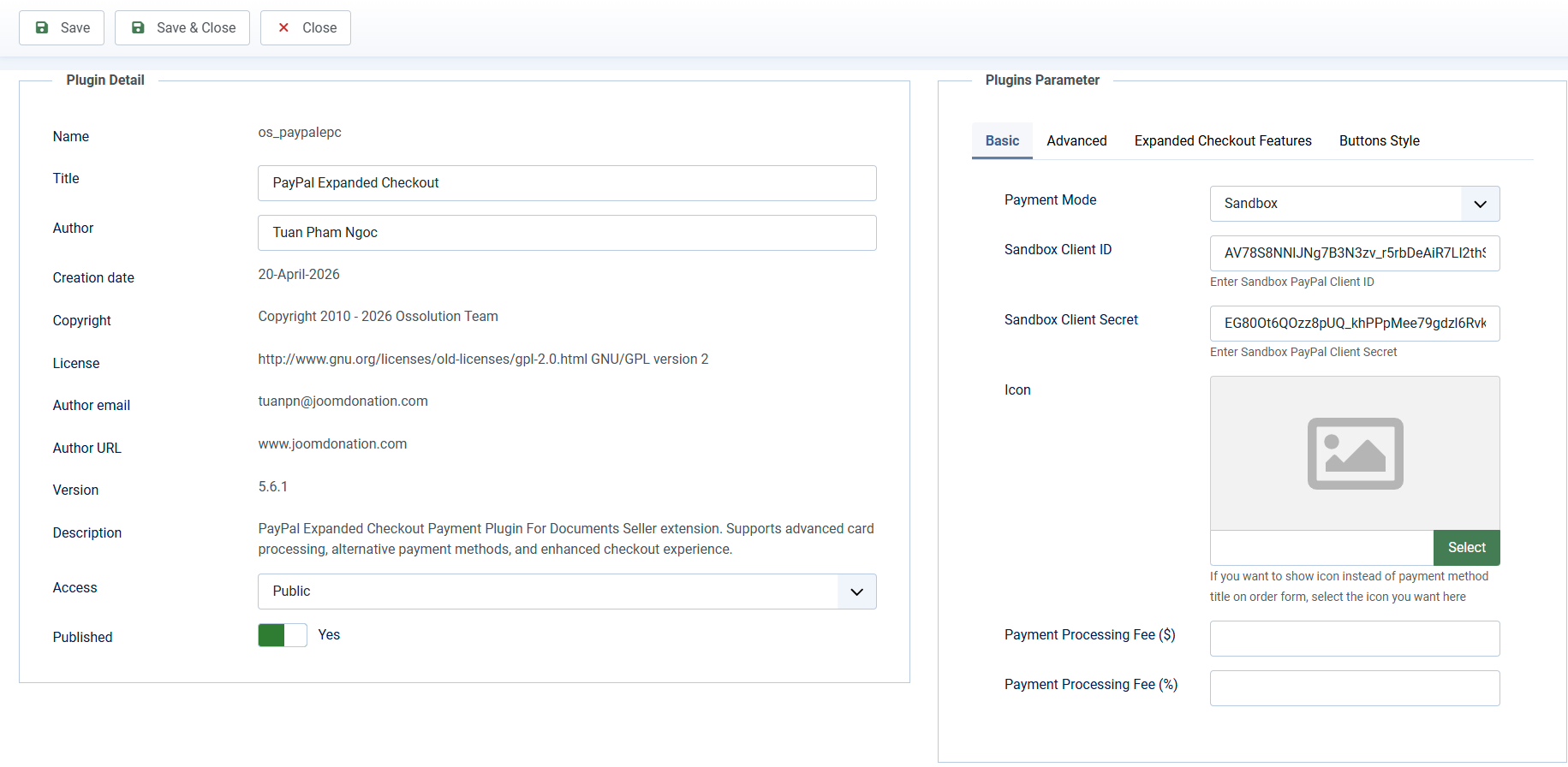
- Go to Documents Seller -> Payment Plugins, click on os_paypalepc payment plugin to edit, enter necessary parameters there.
- If you want to change the message displayed on payment screen, please go to Documents Seller -> Translation, find the language item DMS_PAYPAL_EPC_PAYMENT_INSTRUCTIONS and change it. If the language item is missing, just add it.
Joomla 4, Joomla 5, Joomla 6 Note
If you are using Joomla 4.0+, it has a plugin called System - HTTP Headers . By default, that plugin will prevent the popup window to allow users to pay using their PayPal account. To prevent that issue, you will need to edit the plugin, change the Cross-Origin-Opener-Policy parameter to same-origin-allow-popups and it will work well