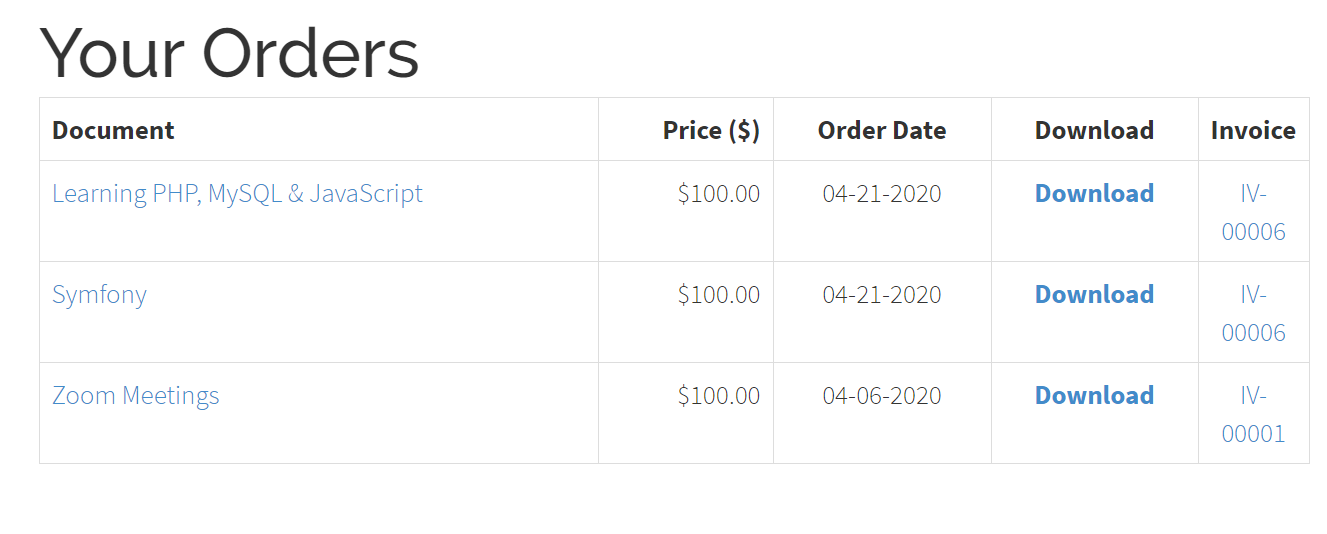
Orders History
Use Orders History to give customers a place to find the documents they have purchased and download them again while eligible. The page is titled Your Orders when the page heading is shown.
When you create the menu item, choose Orders History under Documents Seller. It has no Documents Seller-specific menu settings. With Public access, guests who open the page are sent to the Joomla login form and returned to the page after signing in. Choose Registered if you want the menu link to appear only for signed-in customers.
Which purchases appear
The list includes documents from paid or approved orders that match the signed-in customer's Joomla account ID or email address. A purchase made as a guest can therefore appear when the customer signs in with the same email address. If a purchase is missing, check the email on the order and whether the order is published. For offline payments, see Orders Management for the approval steps.
- Download is available while the document's download limit allows it. The page shows Expired once the allowed time or download count is exhausted.
- Invoice appears when Activate Invoice Feature is enabled. An order with a positive total and an invoice number has a link to its PDF invoice. See Taxes and Invoices to set up invoicing.