Property Types
[TOC]
Overview
Property Types define the transaction mode of a listing — for example, For Sale, For Rent, Short-term Rental, and so on. Every property in OS Property must be assigned a property type, and the available types are fully customizable by the administrator.
Property types also play an important structural role: custom extra fields can be assigned per property type, so different sets of additional information are collected depending on the transaction mode.
Property Types List
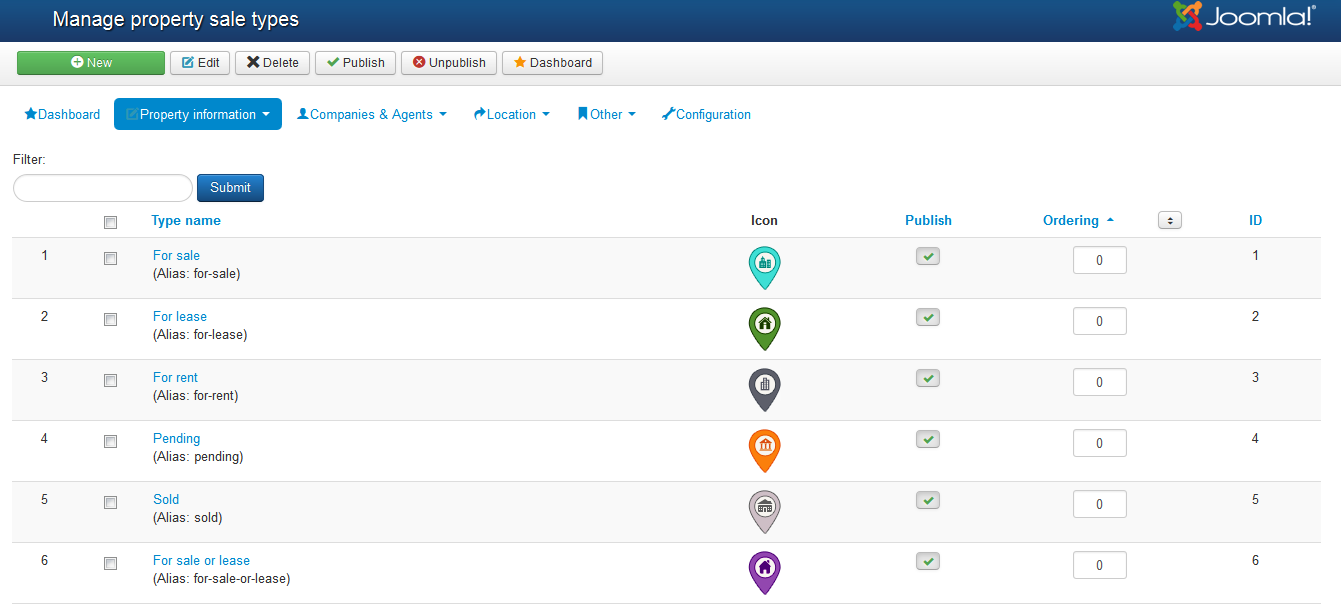
From the Property Types panel you can view, create, edit, reorder, publish, unpublish, and delete property types.
The list displays the following columns:
| Column | Description |
|---|---|
| Type Name | The display name of the property type (e.g., "For Rent", "For Sale") |
| Alias | URL-friendly alias used in front-end links |
| Description | Optional description of the property type |
| Ordering | Controls the display order of types on the front-end |
| Type Icon | Icon image used to represent this type on map views |
| Published | Whether this property type is currently active and visible |
Add / Edit a Property Type
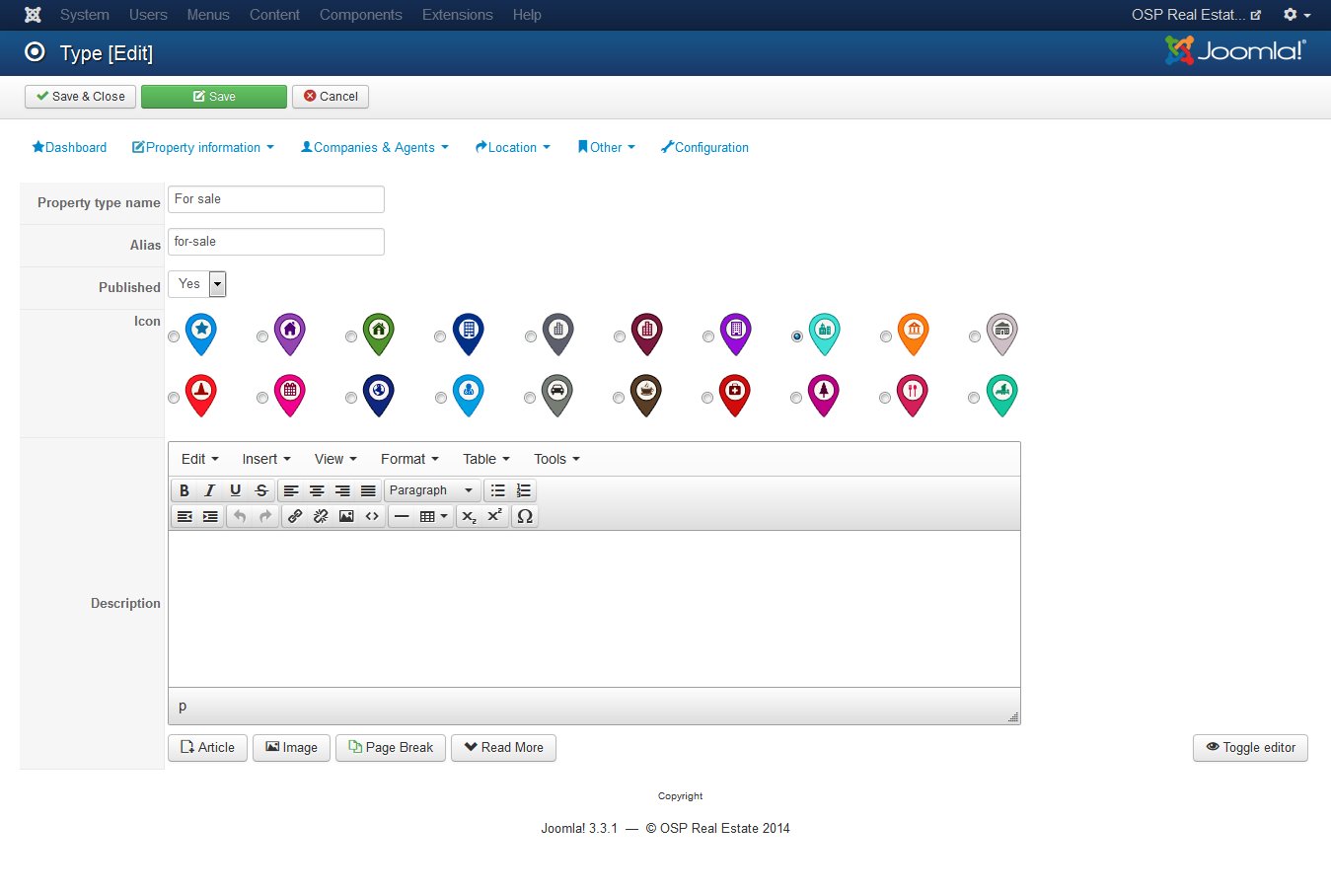
To add a new property type, click the New button in the toolbar. To edit an existing type, click on its name or select it and click Edit.
| Field | Description |
|---|---|
| Type Name | The display name for the property type |
| Alias | URL-friendly alias. Leave empty to have the system generate one automatically. Must be unique. |
| Description | Optional description displayed alongside the type |
| Type Icon | Upload an icon image for this type. The icon is used as a map marker on front-end map views. |
| Published | Set to Yes to make this type available for selection when creating properties |
Click Save to save and return to the list, Apply to save without leaving the form, or Cancel to discard changes.
Multiple Languages
When your Joomla site has more than one language installed, a Translation tab will appear on the property type edit page.
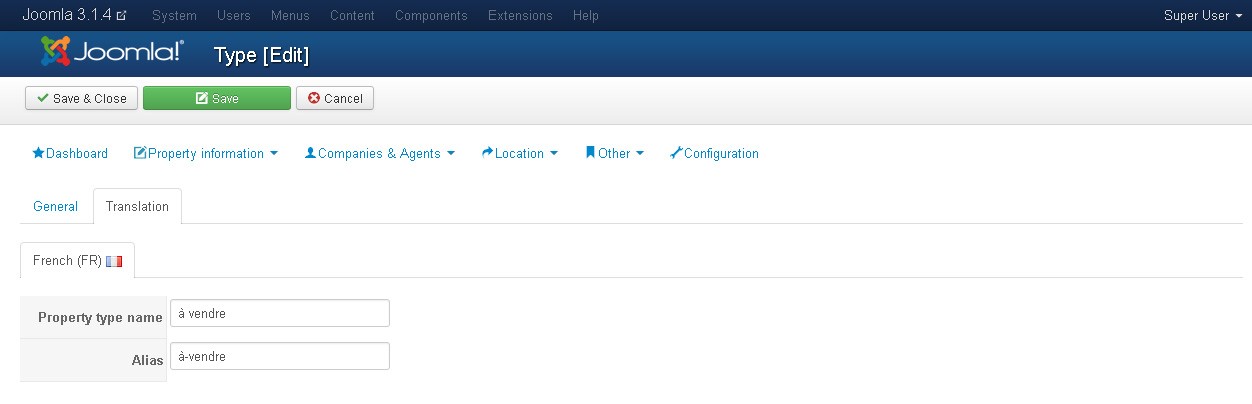
The following fields are available per language:
| Field | Description |
|---|---|
| Type Name | Name of the property type in the corresponding language |
| Alias | Alias for the property type in that language. Leave empty to auto-generate. |
Relationship with Extra Fields
Extra fields can be assigned to specific property types. When a property is created and a type is selected, only the extra fields assigned to that type will be shown on the property form. This allows you to tailor the data collection for each transaction mode independently.
See the Extra Field Groups & Extra Fields section for details on creating and assigning extra fields.