Manage booking
Manage Orders Page in OS Services Booking
The Manage Orders page allows administrators to manage bookings directly from the frontend, eliminating the need to log into the Joomla backend. This feature provides greater flexibility and convenience, especially for businesses that require real-time order management without backend access.
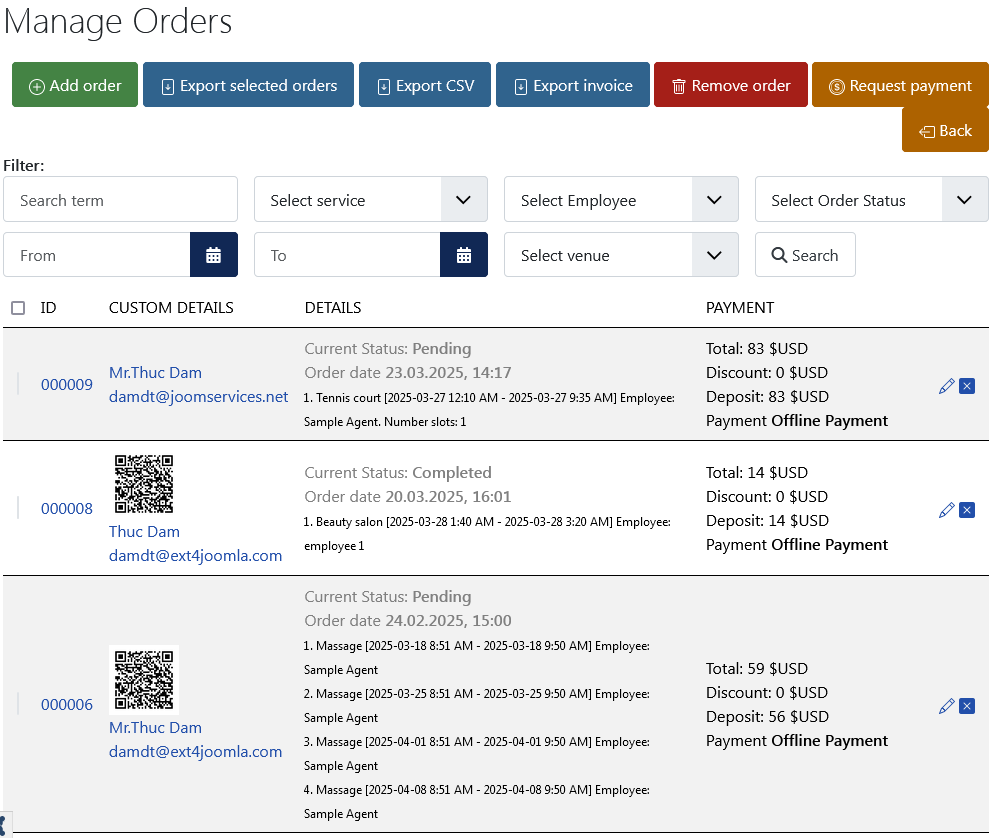
Key Features:
- View and Filter Orders: Administrators can see all bookings and use filters to sort them by date, service, customer, or order status.
- Modify Bookings: Update order details, change appointment times, or assign resources as needed.
- Cancel or Delete Orders: If a booking needs to be removed, admins can cancel or delete it from the frontend.
- Change Order Status: Adjust the status of an order (e.g., Pending, Confirmed, Completed) based on payment or service progress.
- Send Notifications: Resending confirmation emails or sending manual reminders to customers is possible from this interface.
This frontend order management system offers the same core functionalities as the backend order management, making it a powerful tool for administrators who need quick access to customer bookings on the go.