Attachments
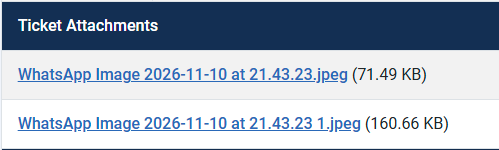
Helpdesk Pro - Ticket Attachments adds a Ticket Attachments section to the ticket details sidebar on the site and in the administrator area. Use it to find files from the original ticket and its replies without searching through the conversation.
- In the Joomla administrator area, go to System → Manage → Plugins, find Helpdesk Pro - Ticket Attachments, and enable it.
- Open a ticket with an attachment. In the Ticket Attachments sidebar section, click a filename to open or download the file. The list shows the original filename and file size.
To let users upload new files, configure Enable Attachment, Allowed File Types, and the upload limits in Helpdesk Pro → Configuration.
Internal comments: The sidebar can show attachments from internal comments to customers who can open the ticket. Leave this plugin disabled if your team attaches files to internal comments.